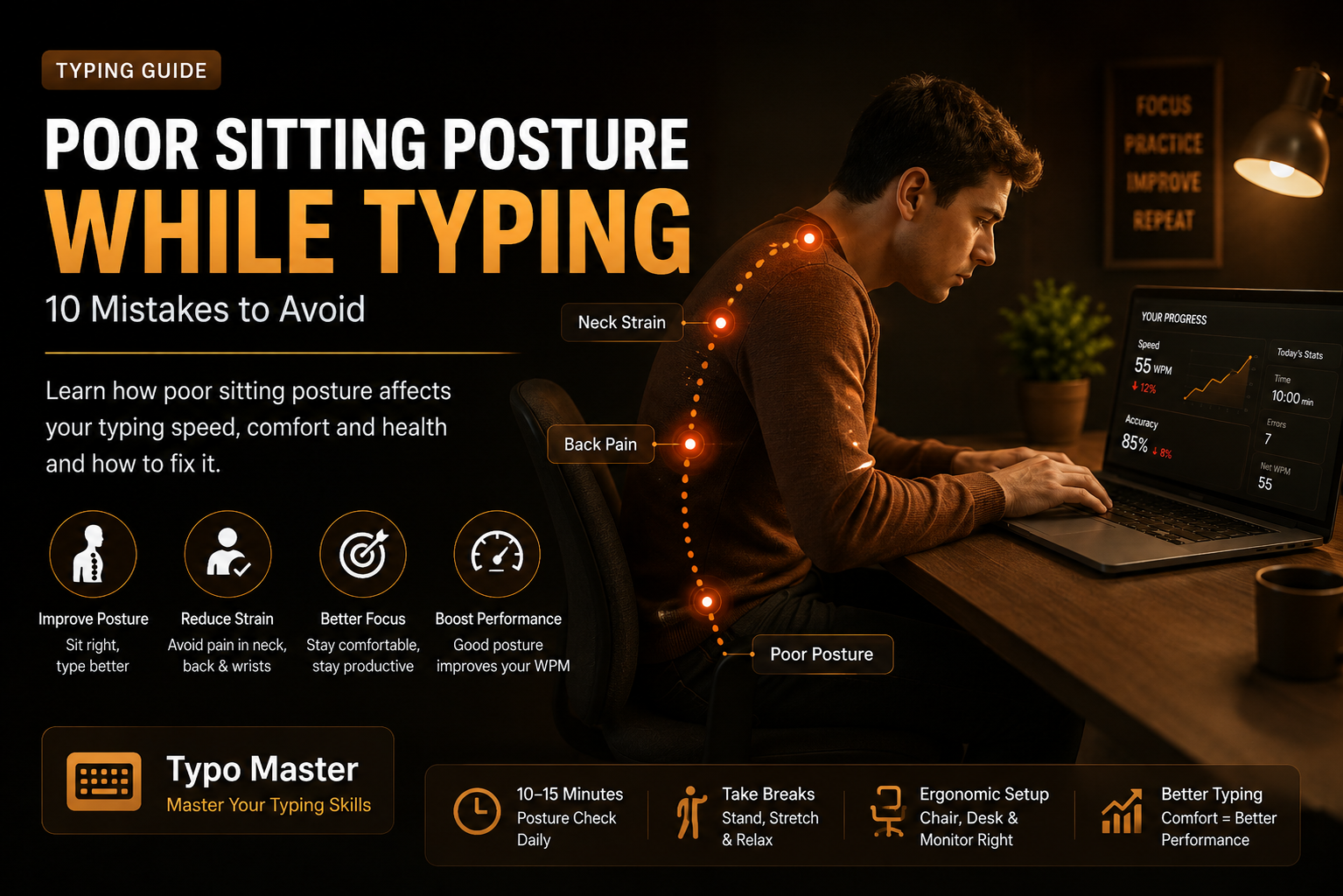
Why Sitting Posture Matters When Typing
Typing is a skill that often requires spending a long time in front of a computer. If you sit in an awkward position, you may become uncomfortable and lose concentration. Good typing posture helps you stay relaxed and maintain a consistent position while practicing.
What Is Poor Sitting Posture?
Poor sitting posture while typing usually means sitting in a position that does not properly support your back, shoulders, arms, wrists, or neck. Common examples include leaning too far forward, raising the shoulders, bending the wrists excessively, or keeping the screen at an uncomfortable height.
1. Slouching in Your Chair
One of the most common typing posture mistakes is slouching. Instead of collapsing forward, try to sit upright and allow the chair to support your back. A comfortable upright position can make long typing sessions easier to manage.
2. Sitting Too Far From the Keyboard
If your keyboard is too far away, you may constantly reach forward while typing. Keep the keyboard close enough that your elbows can remain comfortably near your sides.
3. Keeping Your Shoulders Raised
Some people unconsciously raise their shoulders while typing. Try to keep your shoulders relaxed instead of holding them up toward your ears. Relaxed shoulders can make typing feel more natural.
4. Bending Your Wrists Too Much
Avoid keeping your wrists sharply bent while typing. Try to maintain a comfortable, neutral wrist position and allow your fingers to move naturally across the keyboard.
5. Looking Down at the Keyboard Constantly
Looking down at the keyboard repeatedly can interrupt your typing rhythm. Learning touch typing allows you to keep your attention on the screen while your fingers become familiar with the keys.
6. Placing the Monitor Too Low or Too High
Your monitor should be positioned at a comfortable height so you do not have to constantly bend or tilt your neck. A properly positioned screen can make it easier to maintain a comfortable sitting position.
7. Sitting Without Back Support
Sitting without adequate back support can make long typing sessions less comfortable. Use a chair that provides suitable support and adjust your sitting position when necessary.
8. Keeping Your Feet in an Uncomfortable Position
Your feet should be placed in a stable and comfortable position while you type. Avoid constantly twisting your legs or sitting in an awkward position for long periods.
9. Typing With Too Much Tension
You do not need to hit the keyboard with excessive force. Keep your hands, fingers, shoulders, and arms relaxed while typing. Smooth keystrokes can help you develop a more comfortable typing technique.
10. Staying in One Position for Too Long
Even with good posture, staying in exactly the same position for a long time may become uncomfortable. Take regular short breaks, change your position, and give yourself time away from the keyboard.
Simple Typing Posture Checklist
- Sit upright and comfortably.
- Keep your shoulders relaxed.
- Keep the keyboard within a comfortable reach.
- Keep your wrists in a comfortable neutral position.
- Position the monitor at a comfortable height.
- Keep your feet in a stable position.
- Avoid excessive force when pressing keys.
- Take regular short breaks.
Good Posture and Touch Typing
Good sitting posture and touch typing work well together. When you learn to type without constantly looking at the keyboard, you can focus more on the screen and maintain a consistent typing position. Combine proper posture with regular typing practice to build better typing habits.
Practice With Typo Master
Typo Master provides free typing lessons, typing games, and typing tests to help beginners and experienced users improve their typing skills. Practice regularly, focus on accuracy, and maintain a comfortable typing position while using the keyboard.
Final Thoughts
Poor sitting posture while typing can make computer sessions less comfortable and may affect your concentration. The goal is not to force yourself into a rigid position. Instead, create a comfortable setup, keep your body relaxed, and change your position when necessary. Combine good typing posture with regular practice and touch-typing techniques to develop better typing habits.
Frequently Asked Questions
What is the correct sitting posture for typing?
Sit upright with your back supported, keep your shoulders relaxed, place the keyboard within a comfortable reach, and keep your wrists in a comfortable neutral position.
Is poor posture bad for typing?
Poor posture can make typing sessions uncomfortable and may reduce concentration. A comfortable and well-adjusted workstation can help you maintain better typing habits.
How should I position my keyboard when typing?
Keep the keyboard close enough that you can type without constantly reaching forward. Your arms and shoulders should remain relaxed while typing.
Should I take breaks while typing?
Yes. Taking regular short breaks can help you avoid staying in the same position for too long and gives you an opportunity to relax and change your position.
Does good posture improve typing speed?
Good posture does not automatically make you a faster typist, but a comfortable typing position can help you stay focused and practice consistently.
Related Articles
Improve Your Typing Speed by 2×
Learn practical techniques to improve your typing speed and accuracy.
Read Article →
10 Common Typing Mistakes Beginners Make
Learn common typing mistakes and simple ways to avoid them.
Read Article →