What Is Touch Typing?
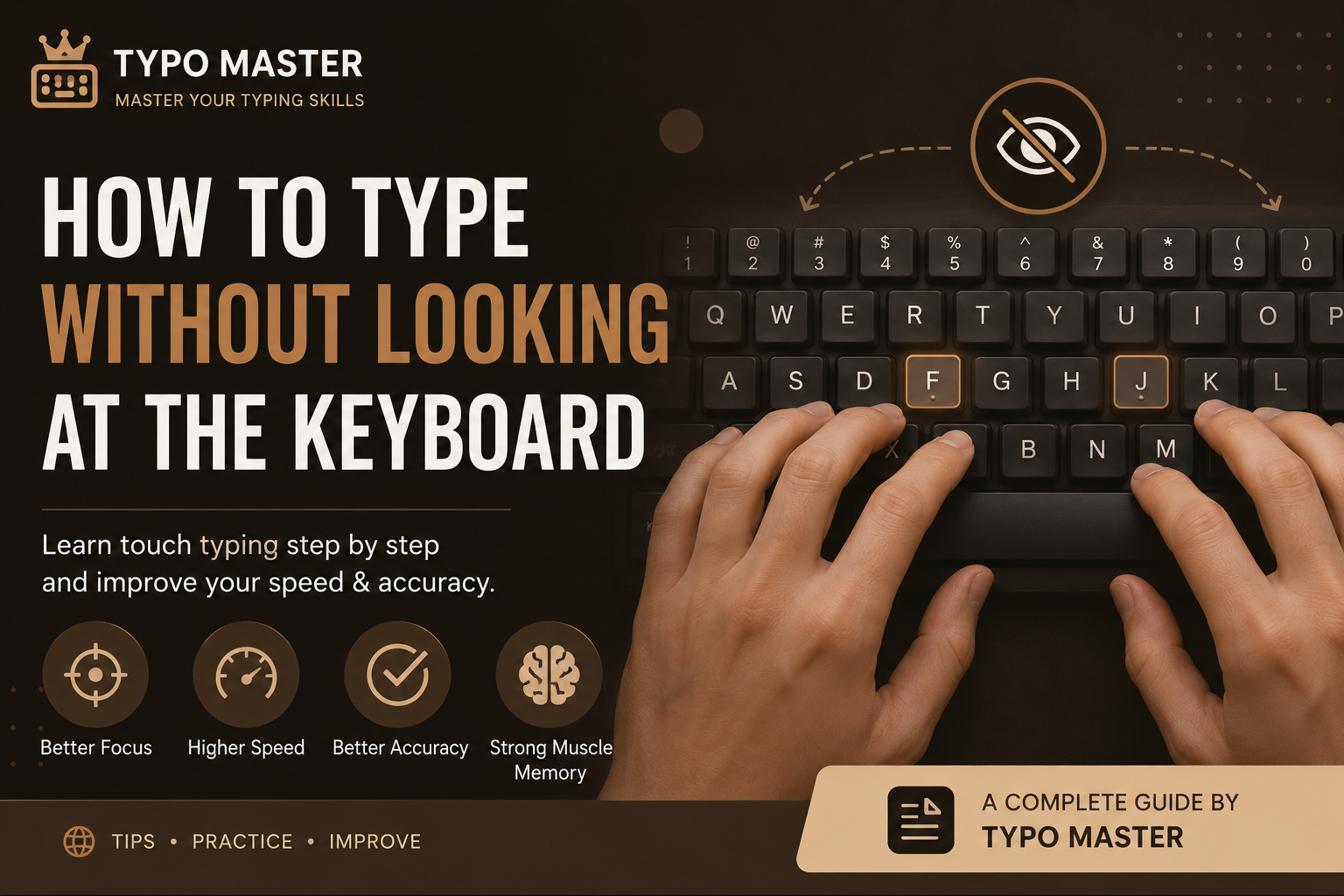
Touch typing is a typing technique that allows you to type by memory instead of looking at the keyboard. Your fingers automatically move to the correct keys while your eyes remain focused on the screen. Professional typists, programmers, writers, and students all use touch typing because it is faster and more accurate than looking down at the keyboard.
Why Should You Stop Looking at the Keyboard?
Looking at the keyboard may feel comfortable at first, but it slows your typing speed and increases mistakes. Every time you look down, your brain loses focus on the text you're writing. Learning touch typing improves concentration, reduces typing errors, and helps build strong muscle memory.
Step 1: Learn the Home Row Keys
The foundation of touch typing is the home row. Place your left hand on A S D F and your right hand on J K L ;. Your index fingers should rest on the small raised bumps found on the F and J keys. Always return your fingers to the home row after pressing any key.
Step 2: Use the Correct Finger for Every Key
Each finger is responsible for a specific group of keys. Avoid using one or two fingers for everything. Proper finger placement reduces unnecessary movement and helps you type naturally without looking at the keyboard.
Step 3: Keep Your Eyes on the Screen
One of the biggest habits to build is keeping your eyes focused on the screen instead of the keyboard. It may feel slow at first, but over time your fingers will remember the key positions automatically. This muscle memory is the foundation of touch typing.
Step 4: Practice Accuracy Before Speed
Don't rush to type fast. Accuracy is much more important than speed in the beginning. If you practice with fewer mistakes, your typing speed will naturally increase as your confidence grows. Aim for an accuracy of at least 95% before trying to increase your WPM.
Step 5: Practice Every Day
Daily practice is the fastest way to improve. Even practicing for just 15–20 minutes every day is better than practicing for several hours only once a week. Consistency builds strong muscle memory and improves your typing skills over time.
Step 6: Use Typing Lessons and Tests
Typing lessons teach proper finger placement, while typing tests help you measure your speed and accuracy. Combining both methods gives the best results. Using Typo Master regularly allows you to track your improvement and identify areas that need more practice.
Step 7: Stay Relaxed
Avoid pressing the keyboard too hard. Keep your hands relaxed, maintain good posture, and let your fingers move naturally. Relaxed hands reduce fatigue and help you type faster for longer periods.
Common Mistakes to Avoid
- Looking at the keyboard every few seconds.
- Using only two fingers to type.
- Ignoring the home row keys.
- Trying to type too fast before building accuracy.
- Practicing irregularly instead of every day.
Daily Practice Routine
A simple daily routine can help you improve quickly:
- 5 minutes of home row practice.
- 5 minutes of top and bottom row exercises.
- 5 minutes of typing tests.
- 5 minutes of typing games for fun.
Benefits of Touch Typing
- Higher typing speed.
- Better typing accuracy.
- Improved focus on the screen.
- Less hand movement.
- Greater productivity for study and work.
Final Thoughts
Learning to type without looking at the keyboard takes patience and consistent practice. Don't worry if you feel slow at first—every professional typist started the same way. Practice every day, focus on accuracy, and trust your muscle memory. With time, you'll type naturally without looking at the keyboard and enjoy faster, more confident typing. Start practicing today with Typo Master and take your typing skills to the next level.
Frequently Asked Questions
How long does it take to learn touch typing?
Most beginners notice improvement within 2 to 4 weeks by practicing for 15–20 minutes every day.
Is it okay to look at the keyboard while learning?
At the beginning it may feel necessary, but try to avoid it. Building muscle memory is the key to becoming a fast and accurate typist.
What is a good typing speed?
A typing speed of 40–60 WPM is considered good for most users, while 80+ WPM is excellent for professional work.
Can Typo Master help me learn touch typing?
Yes. Typo Master provides free typing lessons, typing tests, typing games, and practice exercises to help users learn touch typing step by step.
Related Articles
Improve Your Typing Speed by 2×
Simple techniques to increase typing speed while maintaining high accuracy.
Read Article →
10 Common Typing Mistakes Beginners Make
Avoid the most common typing mistakes and improve your keyboard skills.
Read Article →